
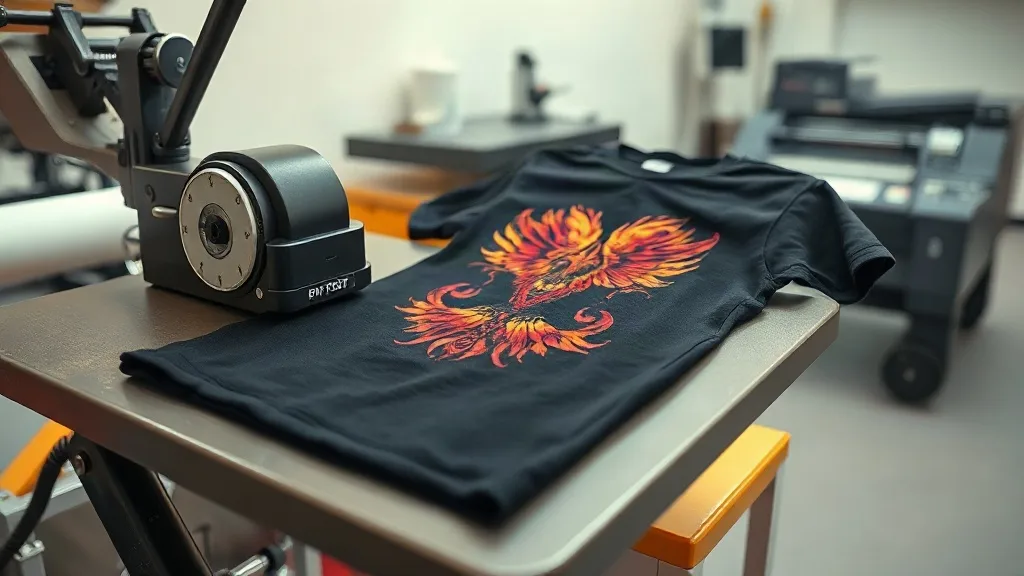
When you pull a custom-printed shirt from the dryer and see the design already cracking, you know something went wrong. Maybe the vinyl was too thin, the heat press was off, or the fabric just wasn't right. That frustration is exactly why dtf printing has gained so much traction in recent years. It solves problems that used to be unavoidable, and it does so without demanding a chemistry degree or a fortune in equipment.
If you run a small print shop, sell merch online, or just want to make gifts that last, understanding dtf transfers can save you time, money, and a lot of wasted material. This guide walks you through what DTF is, how it works, where it shines, and how to get professional results even if you're just starting out.
What Exactly Are DTF Transfers?
DTF stands for direct-to-film. The process involves printing a design onto a special PET film using water-based pigment inks, then coating it with a hot-melt adhesive powder. Once the powder is cured, the transfer is ready to be applied to fabric with a heat press. The film peels away, leaving the design bonded to the garment.
Unlike DTG (direct-to-garment), which prints directly onto the shirt, DTF separates the printing and application steps. That separation opens up possibilities: you can print transfers in bulk, store them, and apply them on demand. It also means you're not limited to cotton. Polyester, blends, nylon, leather, and even some treated woods can accept DTF transfers with excellent results.
The magic is in the adhesive powder. It creates a strong, flexible bond that moves with the fabric instead of cracking. That's why DTF prints survive dozens of washes without fading or peeling, even on stretchy materials like spandex.
How the DTF Process Works Step by Step
Understanding the workflow helps you troubleshoot when things go wrong. Here's the typical sequence from digital file to finished garment.
1. Design Preparation
Start with a high-resolution image, ideally 300 DPI at the final print size. Remove the background if you want a transparent look. DTF printers use CMYK plus white ink, so any color in your design can be reproduced. The white ink layer is crucial because it sits under the colored inks and makes them pop on dark fabrics.
2. Printing onto Film
The printer lays down white ink first, then CMYK on top. The film is coated to receive the ink evenly. After printing, the film passes through a powder shaker that applies hot-melt adhesive. Excess powder is removed, and the film goes into a curing oven or under a heat source to melt the powder into a smooth layer.
3. Heat Press Application
Set your heat press to around 320°F (160°C) with medium pressure. Place the transfer on the garment, cover it with a protective sheet, and press for 10-15 seconds. Let it cool completely before peeling the film. Cold peel gives the best edge definition and durability. For stretchy fabrics, a second press of 5 seconds after peeling can improve wash resistance.
4. Post-Press Care
Wait at least 24 hours before washing. Turn the garment inside out, use cold water, and avoid fabric softener. Following these steps will keep your print looking new for years.
Why DTF Transfers Outperform Other Methods
Every printing method has trade-offs. DTF's advantages make it a standout for small businesses and hobbyists alike.
- Fabric versatility: Works on cotton, polyester, blends, nylon, leather, and more. No need to stock different transfer types for different materials.
- No weeding or masking: Unlike vinyl, there's no tedious cutting and weeding. The printer handles complex designs with fine details automatically.
- Vibrant colors on dark garments: The white ink base ensures colors stay bright even on black or navy shirts.
- Durability: Properly applied DTF transfers resist cracking, peeling, and fading through many wash cycles.
- Cost-effective for short runs: No screens or plates needed. You can print one or one hundred transfers at a similar per-unit cost.
- Storage and shipping: Printed transfers can be stored for months and shipped flat, making them ideal for on-demand production or remote fulfillment.
Compare that to screen printing, which requires setup for each color and is only economical for large orders, or DTG, which struggles on synthetic fabrics. DTF fills the gap nicely.
Common Challenges and How to Solve Them
DTF isn't foolproof. Here are issues you might encounter and practical fixes.
Adhesive powder not melting properly
If the powder looks gritty after curing, your oven temperature might be too low or the dwell time too short. Check the powder manufacturer's recommendations. Most require 320-350°F for 2-3 minutes. An infrared thermometer can help you verify actual film temperature.
Print peeling after washing
This usually comes down to insufficient pressure or uneven application. Make sure your heat press applies even pressure across the entire transfer. If your press has cold spots, you may need to upgrade or rotate the garment. Also, ensure the garment is completely dry before pressing. Moisture creates steam that prevents proper bonding.
Colors looking dull
Dull colors often mean the white ink layer is too thin or the CMYK inks are not saturated enough. Increase the white ink density in your RIP software settings. Also, make sure you're using quality film and inks designed for DTF. Cheap consumables lead to poor results.
Film curling or jamming
High humidity can cause film to curl. Store film in a sealed bag with desiccant. If it's already curled, you can gently warm it with a heat gun to flatten it before printing.
Choosing the Right Equipment and Supplies
You don't need a top-tier setup to start, but quality matters. Here's what to look for.
Printers
Dedicated DTF printers from brands like Epson (with DTF conversion kits) or purpose-built machines from Mutoh, Roland, and Chinese manufacturers are available. For beginners, a converted Epson EcoTank or SureColor with DTF inks and a RIP software like AcroRIP or Cadlink is a cost-effective entry point. Expect to spend $500-$2,000 for a starter setup.
Inks and Film
Use DTF-specific pigment inks. They have the right viscosity and curing properties. Film comes in cold-peel and hot-peel varieties; cold-peel is more common and forgiving. Look for film that's coated on one side; the uncoated side feels slightly rougher.
Adhesive Powder
Thermoplastic polyurethane (TPU) powder is standard. It comes in fine, medium, and coarse grades. Fine powder gives a softer hand feel and is best for detailed designs. Medium is a good all-rounder.
Heat Press
A clamshell or swing-away press with digital temperature and pressure control is essential. You don't need a huge press unless you're doing large prints. A 15x15 inch press handles most apparel.
DTF Transfers for Business: Profit Potential and Practical Tips
If you're considering adding DTF to your service offering, the economics are attractive. A single A4 transfer costs roughly $0.50-$1.50 in materials, depending on ink coverage. You can sell custom shirts for $20-$30, leaving healthy margins. Because you can print on demand, you avoid dead stock and can offer a wide range of designs without inventory risk.
Many successful sellers use DTF transfers to fulfill orders from marketplaces like Etsy, Shopify, or Amazon Merch on Demand. They print transfers in batches, store them in labeled sleeves, and apply them as orders come in. This workflow scales well without requiring a full production line.
One tip: offer a sample pack. Send potential customers a small transfer they can apply themselves. Once they see the quality, they're more likely to order in bulk.
Frequently Asked Questions About DTF Transfers
Can DTF transfers be applied to 100% polyester?
Yes, DTF works exceptionally well on polyester. The low-temperature application (around 320°F) won't scorch the fabric, and the adhesive bonds firmly to synthetic fibers. Just be sure to use a lower pressure and shorter press time to avoid dye migration from the fabric into the print.
How long do DTF transfers last?
With proper application and care, DTF prints can last 50+ washes without significant fading or cracking. The key is following the wash instructions: inside out, cold water, no bleach or fabric softener, and tumble dry low or hang dry.
Do I need a special printer for DTF?
You can convert a standard inkjet printer to DTF by using DTF inks and a RIP software that controls white ink. However, dedicated DTF printers are designed for the purpose and often produce more consistent results with less maintenance. If you're serious about DTF, investing in a dedicated printer is worth it.
What's the difference between DTF and DTG?
DTG prints directly onto the garment, while DTF prints onto a film that is then transferred. DTF works on more fabric types, including polyester, and typically produces more durable prints on synthetic materials. DTG is limited mostly to cotton and requires pre-treatment, which adds time and cost.
Can I sell items made with DTF transfers?
Absolutely. Many small businesses do. Just ensure you have the right to use the designs you print. If you're creating your own artwork or using licensed designs, you're good to go. DTF transfers are a legitimate production method for commercial apparel.
DTF transfers have leveled the playing field for custom apparel. Whether you're printing one shirt for yourself or building a business, the combination of quality, versatility, and affordability is hard to beat. With the right supplies and a bit of practice, you'll be producing professional-grade prints in no time.